
'/%3E%3C/svg%3E)
Players looking for Natural8 Android access can get the official poker app straight from the N8 poker – real-money poker clients are not distributed through Google Play in most regions. The Natural8 APK for Android is optimised for stable performance on compatible devices, giving you the same cash games, tournaments, and account tools available on desktop. Download the latest version below and start playing within minutes.
How to download the Natural8 app for Android
The entire process – from opening your browser to sitting at a table – takes under five minutes on most phones. Follow the four steps below to install the app correctly on the first attempt.
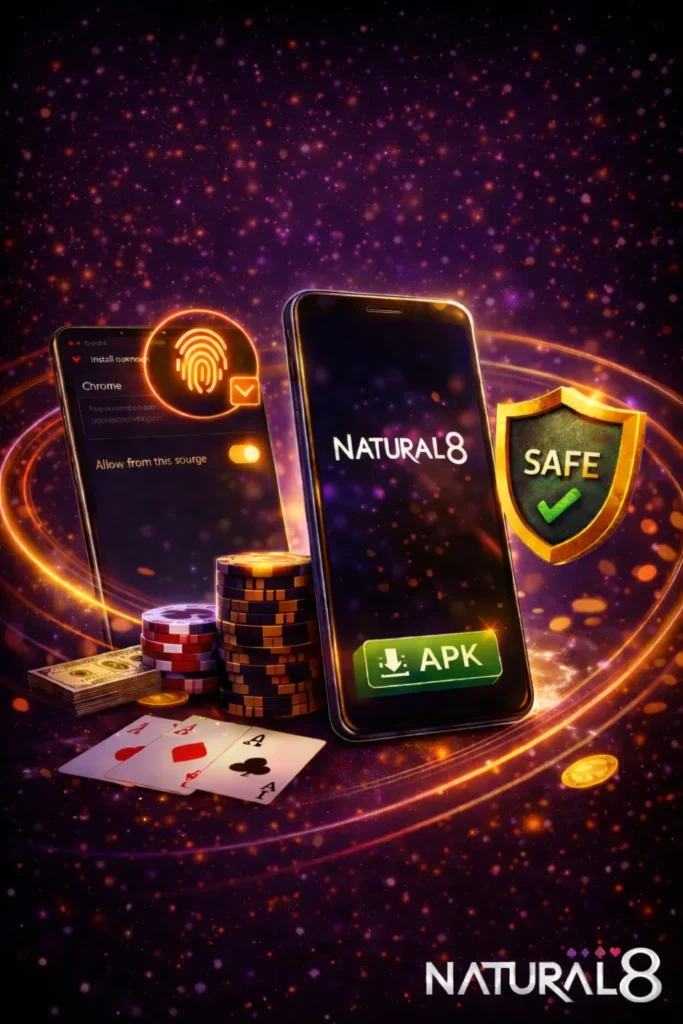
Visit the Official Download Page
Open any mobile browser (Chrome, Samsung Internet, Firefox, etc.) and go to the Natural8 website. Navigate to the download section, which is clearly marked for mobile users. This page confirms the file source and lists options for different device types. Always use the official link to avoid third-party copies that may contain outdated code or malware.
Download Natural8 APK for Android
Tap the Android download button on the page. The APK file will save to your default Downloads folder within seconds, depending on your connection speed. The file size is moderate – roughly 80–120 MB – so a Wi-Fi connection is recommended but not required. No redirects or additional software are involved; you receive the APK directly from Natural8 servers.
Enable “Install Unknown Apps”
Android blocks app installs from sources other than Google Play by default. Before opening the APK, you need to grant permission to the browser (or file manager) you used for the download. Go to Settings → Apps → Special Access → Install Unknown Apps, then toggle the permission on for the relevant app. This setting applies only to the source you select – it does not open your device to all external installs.
Install & Log In
Locate the downloaded APK file and tap it to begin installation. Follow the on-screen prompts – the process finishes in under a minute on most devices. Once installed, launch the Natural8 app, enter your existing credentials or create a new account, and you will land in the lobby ready to choose a table.
What Is the Natural8 APK?
APK stands for Android Package Kit – the standard file format used to distribute and install applications outside the Google Play Store. Natural8 relies on direct APK delivery because Google Play restricts real-money gambling apps in many countries. By downloading the APK from the official site, you receive the most recent build with all features enabled, without waiting for store review cycles or regional rollout delays.
The APK is compatible with devices running Android 6.0 (Marshmallow) and above, though Android 8.0 (Oreo) or newer delivers noticeably smoother performance. Each new APK version includes bug fixes, security patches, and any feature additions – so keeping your install up to date is worth the small effort of a manual update. Players also track Natural8 poker rakeback because it directly affects long-term value from gameplay, especially when combining cashback systems with ongoing activity.
Is Natural8 Android Download Safe?
Yes, provided you download exclusively from the official Natural8 website. The APK hosted on the site is the same build used by tens of thousands of active players. All data transfers – including logins, deposits, and withdrawals – are protected by SSL encryption, the same standard used by banks and major online services.
Natural8 operates under a valid gaming licence and undergoes regular security audits. After installation, you can add an extra layer of protection by enabling two-factor authentication (2FA) in your account settings. Avoid downloading the APK from unofficial sources, forums, or file-sharing sites – these copies may be modified and can put your credentials or device at risk. Withdrawal processes on Natural8 are also secured through the same protected system, ensuring funds are handled safely under the platform’s internal verification rules.
Natural8 Android App Features
The Android app mirrors the desktop client in functionality, adapted for touch screens and mobile hardware. Here is what you get after installing the Natural8 APK:
- Full tournament lobby – access daily scheduled events, satellites, and major series with guaranteed prize pools, all from the same interface used on desktop.
- Cash games and Sit & Go – join Texas Hold’em, Omaha, and Short Deck tables at stakes ranging from micro to high.
- Multi-table support – run up to four tables simultaneously on devices with sufficient RAM, with a tab-based layout that makes switching between tables fast.
- Quick hand dealing – the mobile engine handles card animations and pot calculations without noticeable lag on supported hardware.
- Secure cashier – make deposits and request withdrawals using the same verified payment methods available on the desktop platform, with transaction data encrypted end to end.
Natural8 Android brings these tools to your phone screen. Natural8 Android Download keeps the experience close to Desktop.
Android System Requirements
The Natural8 app is designed to run on a broad range of Android phones and tablets. Below are the minimum and recommended specs:
Operating system: Android 6.0 (Marshmallow) minimum; Android 8.0 (Oreo) or higher recommended for the best experience. Storage: at least 250 MB of free space for the initial install; 1 GB recommended to accommodate updates, hand-history cache, and temporary files. RAM: 2 GB minimum; 3 GB or more is advisable if you plan to multi-table or keep other apps running in the background. Connection: a stable Wi-Fi or mobile data connection (4G/5G) is necessary to prevent disconnections during hands – avoid playing on unreliable public hotspots when real money is at stake.
How to Update Natural8 Android
Because the app is not listed on Google Play, automatic updates do not apply. You need to check for new versions manually – the app itself or the Natural8 website will notify you when an update is available. The update process preserves your account data and settings, so you do not have to re-register or reconfigure anything.
- Re-download latest APK from the official download.
- Open the new file after it finishes saving to your device.
- Install over existing version when prompted – the app overwrites old files automatically.
- Launch the updated app and log in as usual.
After a successful update, delete the old APK file from your Downloads folder to free storage. Avoid saving your login details in screenshots or shared notes on the device. If an update fails, check that you have enough free storage and that install-from-unknown-sources permission is still active for your browser.
Troubleshooting Natural8 Download for Android
Most installation problems resolve with a few basic checks. Before anything else, confirm you downloaded the APK from the official Natural8 site – corrupted or outdated files from third-party sources cause the majority of errors.
Common issues include:
- APK not installing – usually tied to missing unknown apps permission.
- “App blocked” message – Play Protect flags it; tap install anyway in settings.
- Insufficient storage – free up at least 300 MB before retrying.
- Outdated Android version – needs 6.0 or higher for compatibility.
- Login errors – check credentials, network, or clear app cache.
If the problem persists after running through these steps, redownload a fresh copy of the APK and attempt the install again. For issues that still remain unresolved, contact Natural8 support through the website live chat – include your device model, Android version, and a brief description of the error for the fastest response. Most cases are sorted in under five minutes.
FAQs
How do I download Natural8 for Android?
Go to the official Natural8 website on your phone, tap the Android download button, save the APK, enable “Install Unknown Apps” in your device settings, then open the file and follow the installation prompts.
Is the Natural8 Android download free?
Yes. The APK download and app installation cost nothing. There are no hidden charges – you only spend money when you choose to deposit funds into your poker account.
Is it safe to download Natural8 on Android?
As long as you use the official Natural8 website, the download is safe. The APK is delivered over an encrypted connection, and the platform operates under a valid gaming licence with regular security audits. Avoid downloading from unofficial sources.
What Android version do I need?
Android 6.0 (Marshmallow) is the minimum. For the smoothest performance, use Android 8.0 (Oreo) or higher. Devices running Android 10+ will get the best compatibility with current app features.
How do I update the Natural8 app on Android?
Return to the official download page, download the newest APK, and install it over your existing version. The update replaces old files automatically without affecting your account, balance, or settings.
Can I use the same account on Android and desktop?
Yes. A single Natural8 account works across Android, iOS, and desktop. Your balance, tournament registrations, and settings sync automatically regardless of which device you log in from.
What should I do if the Natural8 APK won’t install?
Check that “Install Unknown Apps” is enabled for your browser, confirm your device has at least 250 MB of free space, and verify your Android version is 6.0 or newer. If the issue continues, redownload the APK from the official site and try again. Restarting your phone before the retry often helps. Contact Natural8 live-chat support if the problem remains.